


a poster doesn't buffer
Draper Signage
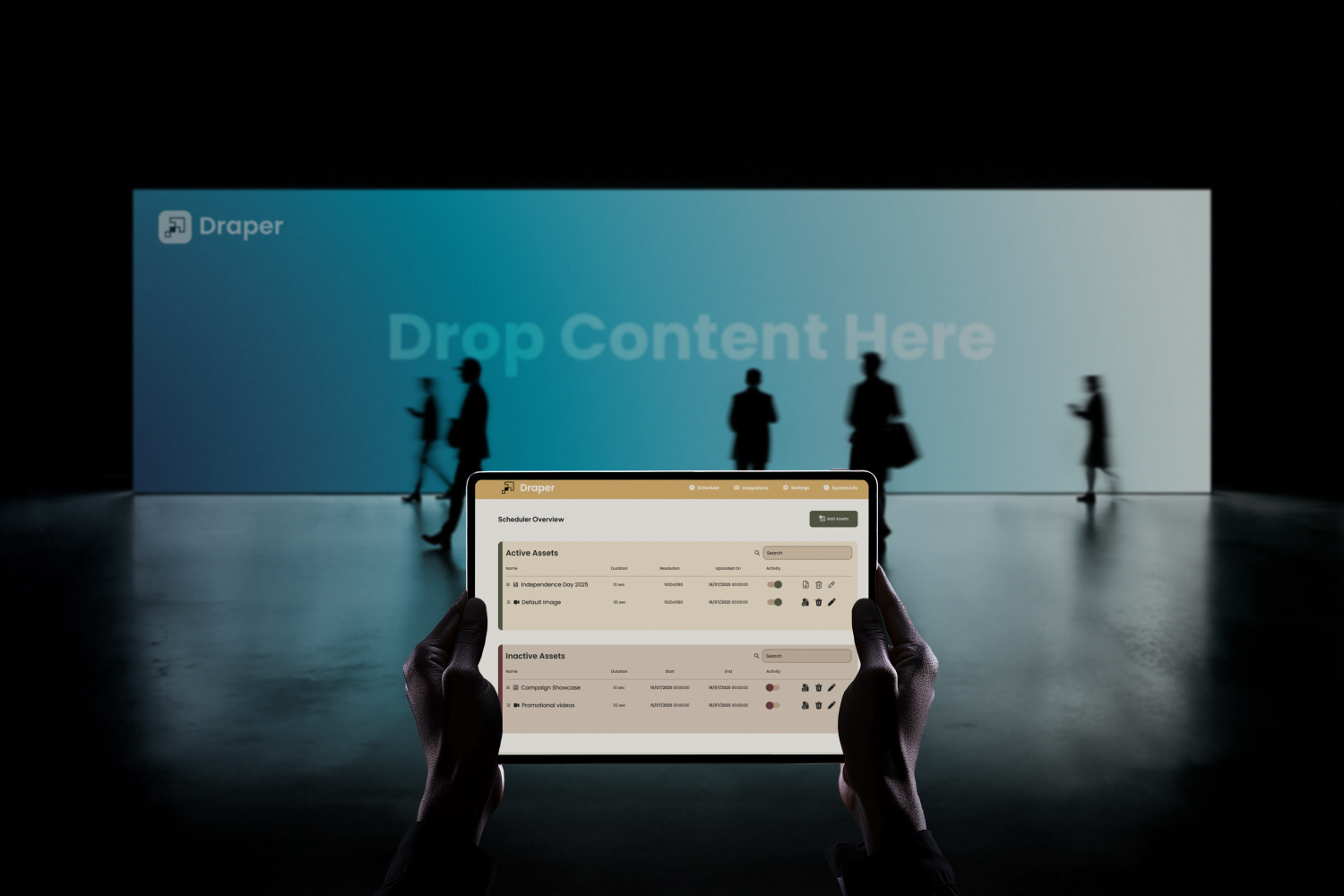
Draper is an open-source, offline-first digital signage player built by To Be Named Labs. It installs with one command on any Linux machine, down to a Raspberry Pi Zero 2W, and keeps your screens running whether the internet shows up or not.
- 0cloud calls to play content
- 1command to install
- Pi Zero2W, the smallest target
- AGPLopen source
01 / why
We built it because every screen we saw was waiting on Wi-Fi
Nobody asked us for Draper. We built it for ourselves, then kept going.
Every time we needed a screen to show something simple — a menu, a queue number, a shift target — the options looked the same. Sign up for a cloud platform. Pay a fee per screen, every month. Hope the venue Wi-Fi holds. When it didn't, the screen sat there loading.
That felt backwards. A printed poster never needs the internet to stay on the wall. A digital one shouldn't either. It should just be a poster that can change.
Display what matters. Keep displaying it when the network doesn't.
So we wrote down three rules before we wrote any code. Play from the device, always. Run on the cheapest Linux board you can buy. Install without a manual.
02 / who it's for
Screens that live where the internet doesn't behave
Draper fits anywhere a screen has a job and the network can't be trusted to show up for it.
- cafés & restaurantsMenus, specials, prices. Change them from the counter, on the shop's own Wi-Fi.
- clinics & waiting roomsQueue info, health notices, timings. Keeps running through every outage.
- factory floorsShift targets, safety notices, andon boards. GPIO and USB tie content to the line itself.
- retail & eventsPromotions and schedules on cheap hardware you can leave behind after the event.
- low-connectivity sitesRural offices, basements, warehouses. Places where cloud signage turns into a black rectangle.
- makers & integratorsA signage layer you can script, extend and ship inside your own product.
03 / the rule
Offline is the baseline, not the fallback
Most signage players treat the cloud as home and local storage as a backup plan. We flipped it. Every asset and every schedule lives on the device. The player reads from local storage first, every time. The network only matters when you want to change something.
Pull the plug and see the difference.
Same content, same schedule. One player streams first, one plays from the device first.
network: onlinestream-first player
Fetches the next item from a server when it's time to show it.
draper, cache-first
Plays from local storage. Syncs changes when the network is around.
04 / small
Built for a ₹1,500 computer
We picked the smallest target we could find and designed down to it: a Raspberry Pi Zero 2W. If Draper runs there, it runs anywhere. Any Linux box works — Debian, Arch, whatever you already have.
Small hardware forced honest choices. Every dependency had to earn its place, because dependencies are debt.
Tauri, not Electron. Electron ships a whole browser with every app. Tauri uses the webview the system already has. The player stays small and starts fast.
Go for the backend and dashboard. One compiled binary. No runtime to install, no package tree to babysit.
SQLite for state. One file on disk. Nothing to configure, nothing to keep alive.
SolidJS for the interfaces. Fine-grained updates, no virtual DOM, tiny bundles. The UI does its work and gets out of the CPU's way.
No containers. No cloud agent. No database server. Just the player, one binary, and a file.
05 / install
One command, then put content on the screen
Signage setup usually means accounts, licences, a pairing code and a long afternoon. Draper installs with a single line in the terminal. It pulls the player and the dashboard, sets them up as services, and boots straight into the player.
# any Linux box, Pi Zero 2W and up
              $ curl -fsSL [install-url] | bash
Then open the dashboard from any phone or laptop on the same network and drop in your first image. That's the setup.
06 / the dashboard
One view per job
Draper's operator is usually a shop manager, not an IT team. So the dashboard does four things and puts each one in its own place.
Scheduler. Active assets on top, inactive below. Toggle something on, set its duration, done. Upload. Drag in images or video — PNG, JPEG, WebP, MP4, MOV, AVI. Settings. Display duration, audio output, orientation, splash screen, login, and scheduled backups of assets and settings. System info. Load, free space, uptime, serial, MAC and local IP, so whoever is helping over the phone can see what you see.
Nothing buried, nothing repeated. The interface is infrastructure. If you notice it, we did something wrong.
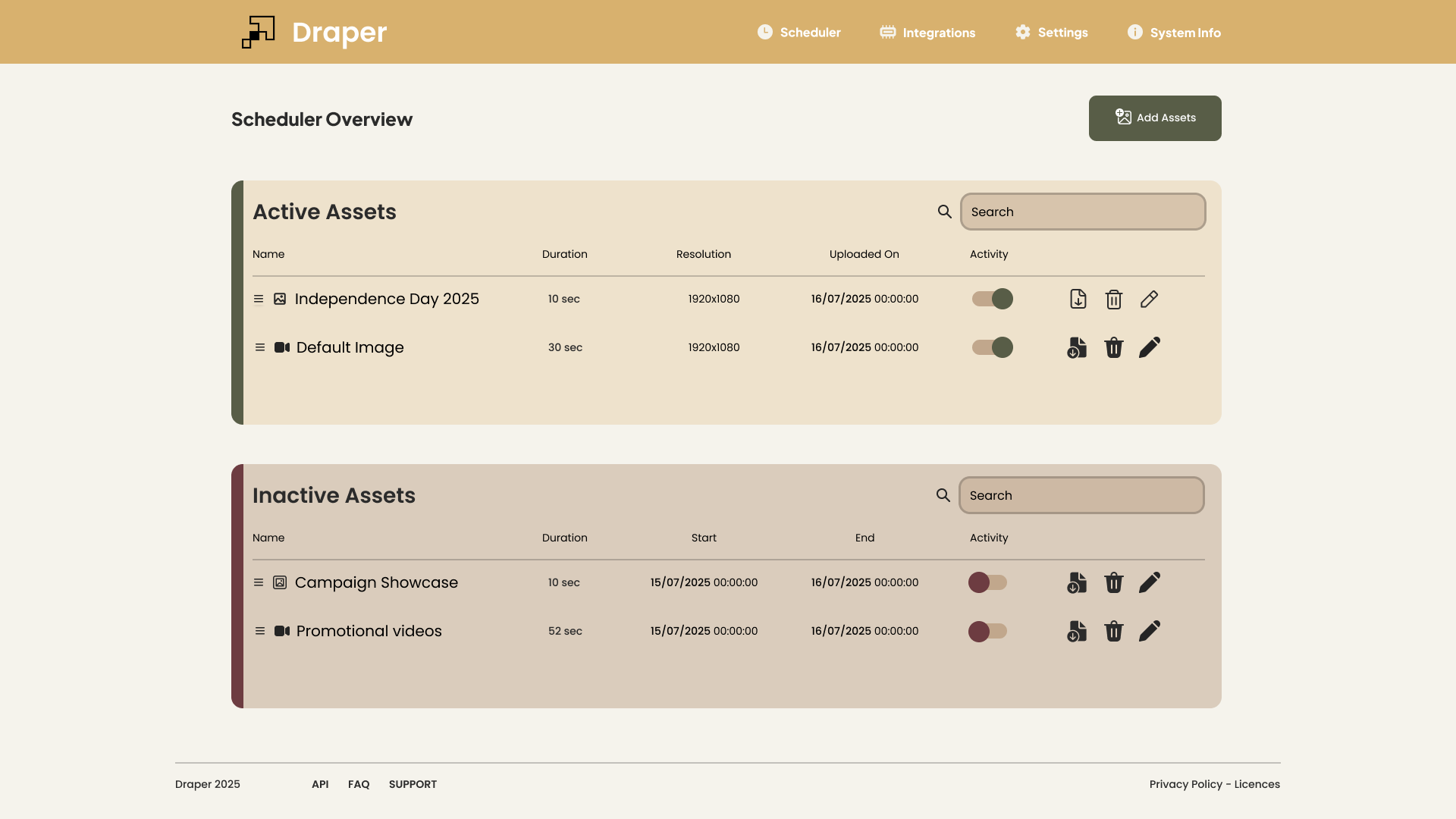
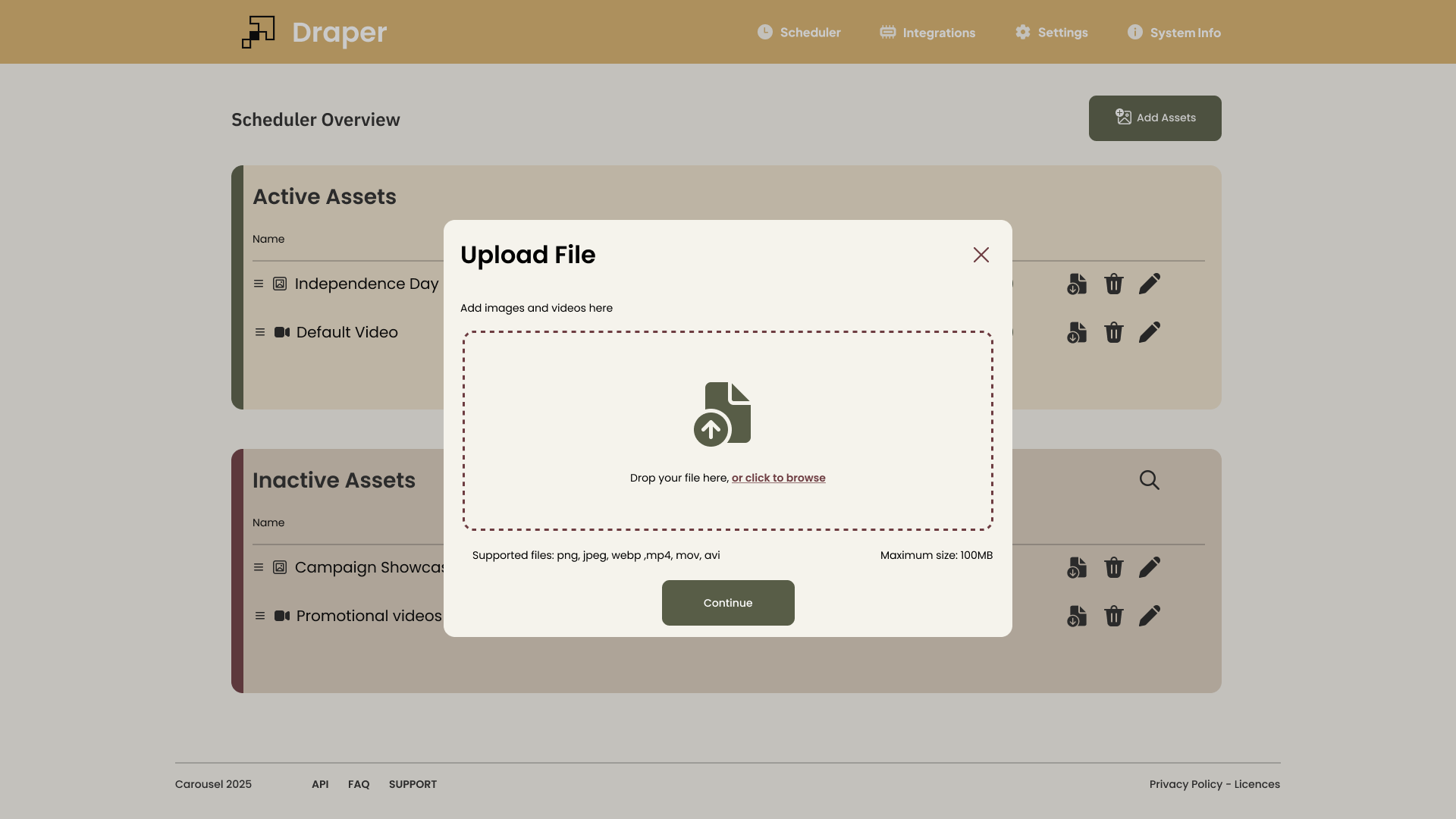
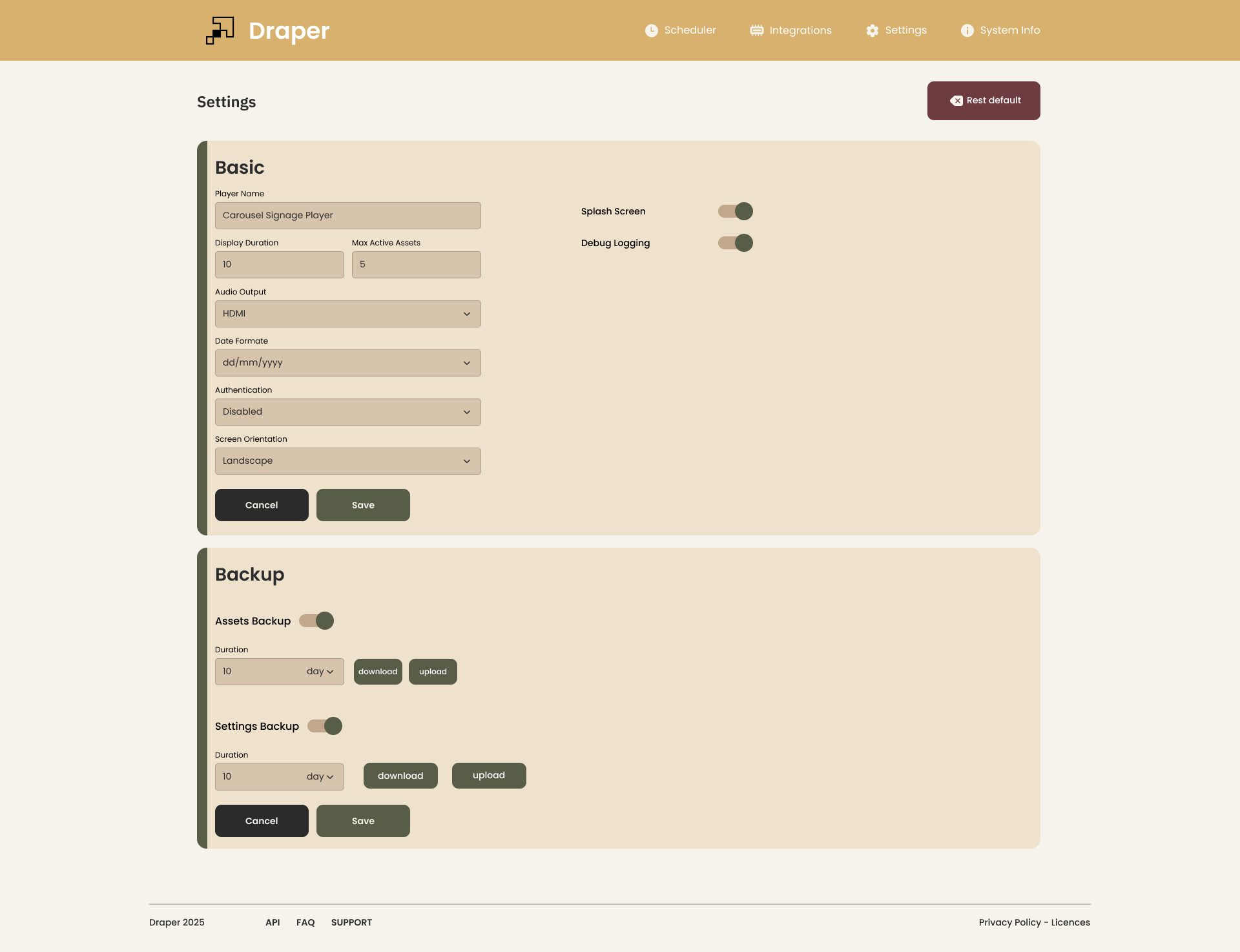
two screens a manager actually opens
07 / when things go wrong
A screen should never just go black
Every signage system fails eventually. The question is what the screen says when it does.
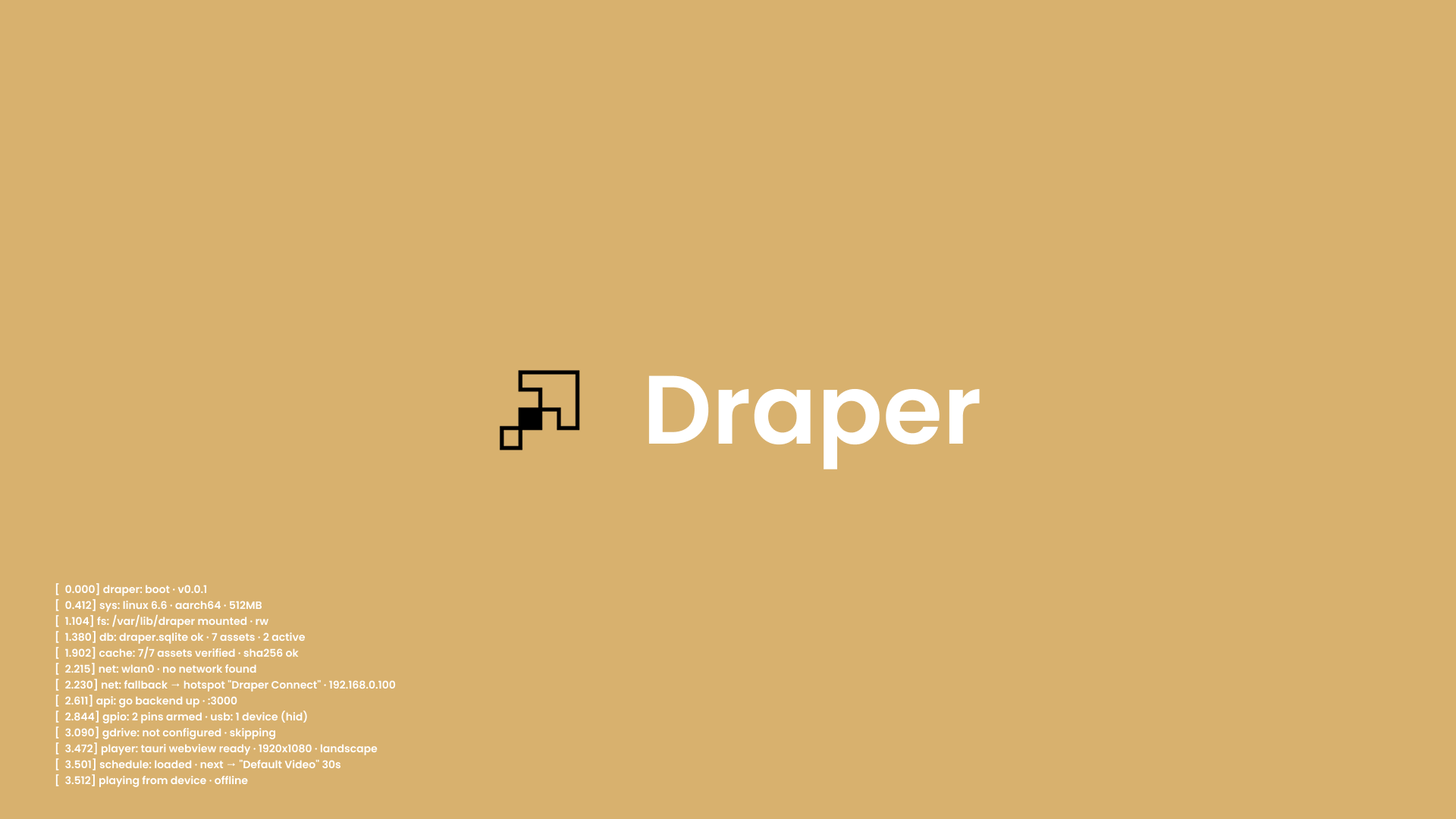
Draper never leaves a blank. If there's no network to join, the screen turns into its own setup guide: it starts a hotspot and shows the network name, password and a QR code. Scan it with any phone, open the portal, pick the Wi-Fi. If something else breaks, the screen shows the exact local address where you can fix it.
The screen is the first thing a person sees when something's off. So we made it the first place they find the answer.
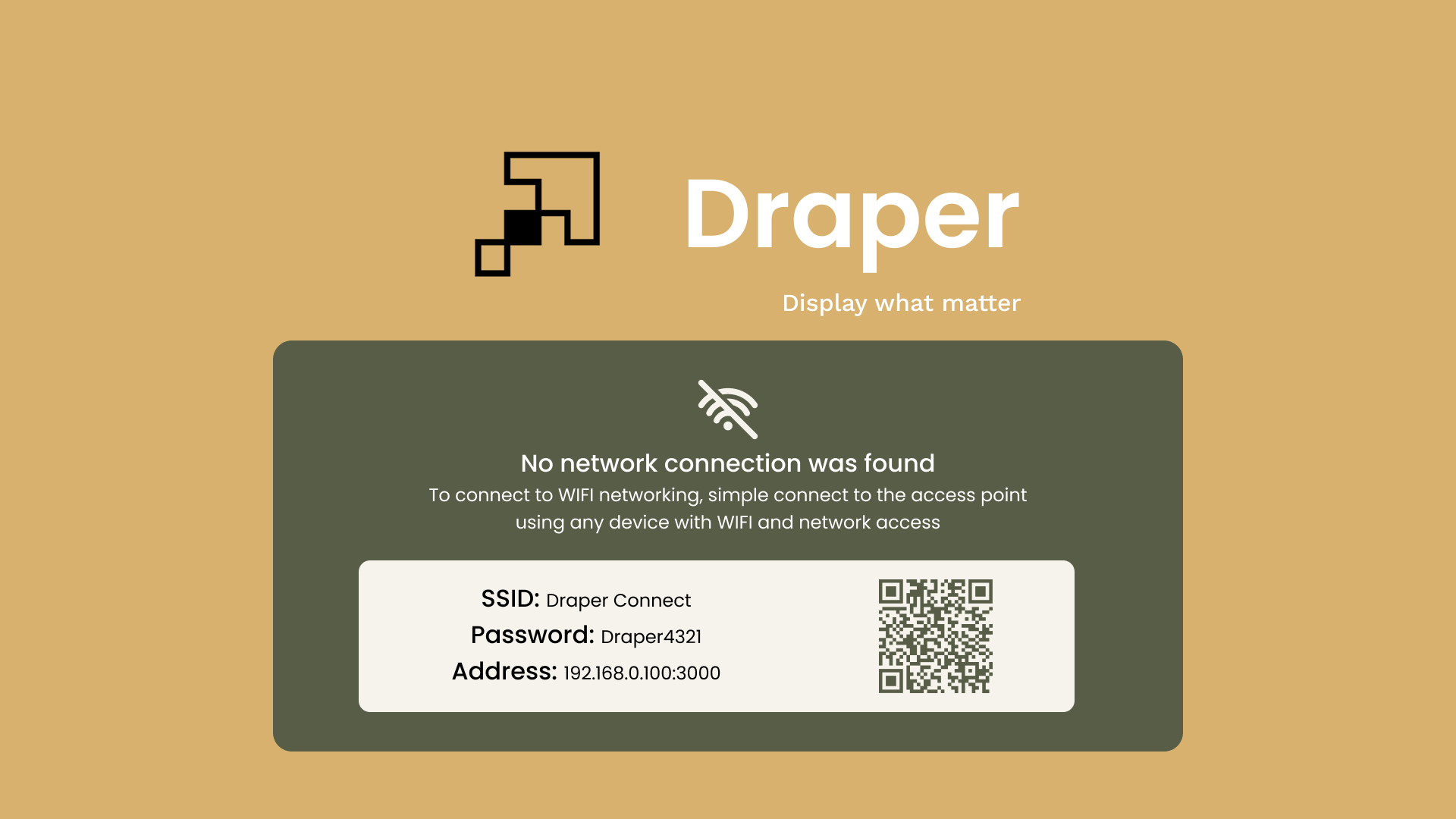
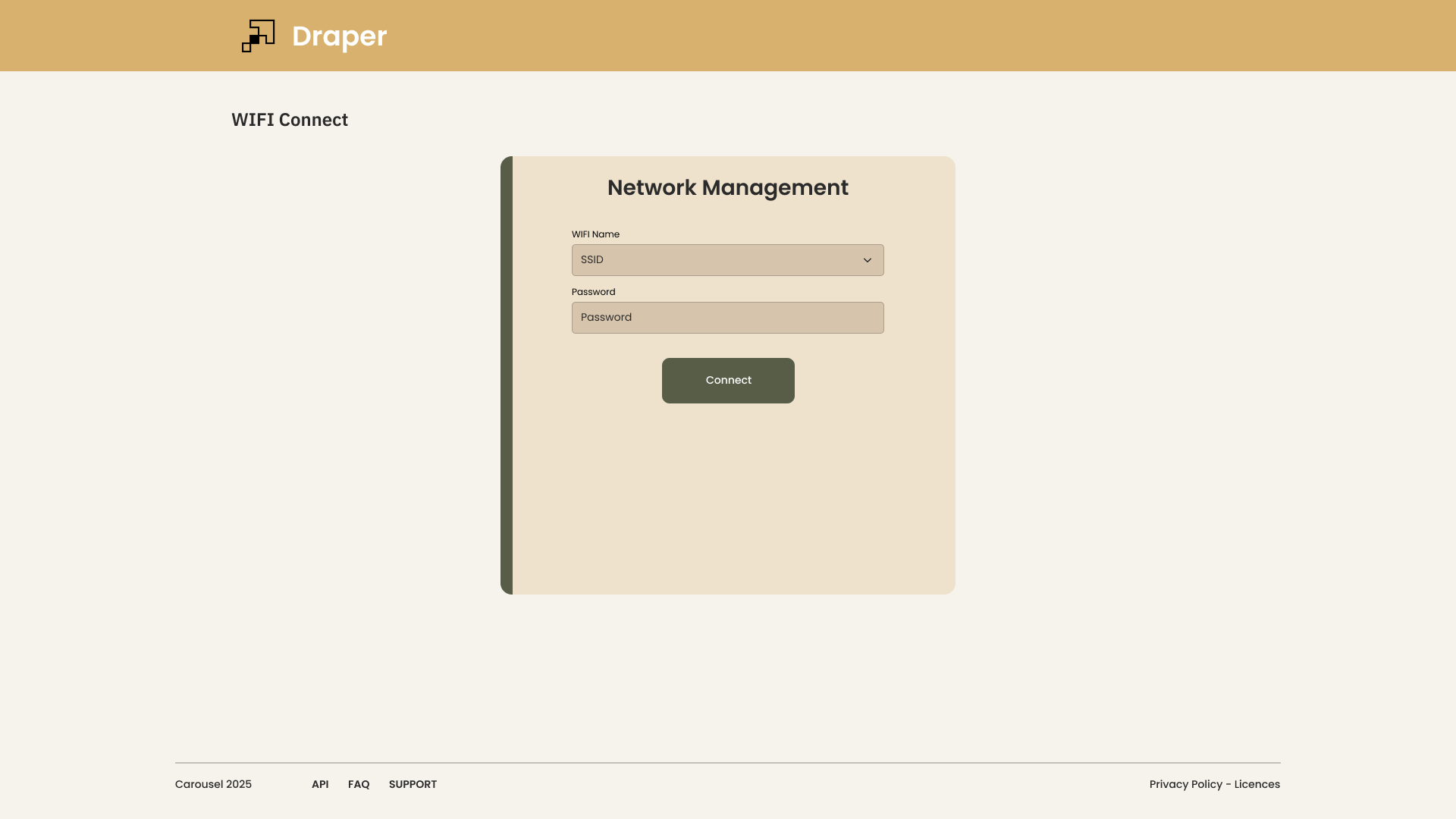
error states are product, not afterthoughts
08 / beyond the screen
GPIO, USB and a local API: signage that touches hardware
This is where Draper stops being a slideshow. It reaches the board it runs on.
GPIO and USB. Read pins and USB devices to trigger content, collect data or sync with other modules. A button cycles the menu. A motion sensor wakes the screen. A barcode scanner pulls up a product. A line sensor flips the andon board red.
REST API on the local network. Reboot the player, manage assets or pull backups from any device on the same network. Script it, wire it into your POS or MES, or build your own controller on top.
Most signage software stops at the HDMI port. We build hardware, so we didn't. This is the same embedded and IoT work we do for clients, packed into a product anyone can use.
09 / optional cloud
Google Drive, if you want it. Never if you don't.
Some teams want their screens to report home. Draper can sync assets, screenshots and settings to Google Drive, and push IP stats, system logs and activity into Google Sheets for remote monitoring.
All of it is optional. Draper works fully with zero Google setup. Drive sits beside the player, never in front of it. If Google goes down, your screens don't notice.
That's the line we hold for every new feature: add whatever helps, as long as the offline-first core stays untouched.
10 / not there yet
Where Draper still falls short
We'd rather say it than have you find it.
Network switching is clunky. Moving a player between its own hotspot and a venue's Wi-Fi works, but it takes more steps than it should, and some phones fight the handover. We're rebuilding it around a proper captive portal, so joining a network feels like logging into café Wi-Fi.
One dashboard per screen. Today each player runs its own dashboard. Fine for one to three screens, tedious for twenty. A multi-screen dashboard is next on the list, built so it never becomes the thing every screen depends on.
Neither problem touches playback. Both slow you down at setup. That's where we're spending our next cycles.
11 / open source
Why we're giving it away
Signage is a solved problem wrapped in subscriptions. The software to put an image on a screen shouldn't cost a monthly fee per screen. So Draper is free, and the source is open.
We picked the GNU AGPL v3 on purpose. Use it, change it, run it in your shop or your product. If you modify Draper and offer it to others as a hosted service, you share those changes back. That keeps Draper open and stops it from turning into one more closed subscription.
The repository opens soon, with the install script and docs. Email us to get the link the day it goes live.
And if you need Draper inside something bigger — a branded enclosure, sensors wired into content, a fleet of fifty screens — that's the work we do. Draper is the proof.